| Buy from OSOYOO |
Buy from US |
 |
 |
Basic Product Information
- Item name: OSOYOO 3.5 inch Mipi DSI Capacitive Touchscreen V4.0
- Model No.: #2026005500
- Screen Resolution: 480×800 (Hardware)
- Interface: Mipi DSI
- Compatible: with Raspberry Pi 3B/3B+/4/5 & ESP32-P4 IO board
Note
The OSOYOO 3.5″ 480*800 Mipi DSI Touchscreen Display requires a driver. For detailed step-by-step usage, see the matching guide pages:
Table of Contents
- Introductio
- Key Features
- Specifications
- Package Contents
- Power Supply
- Mechanical Dimensions
- Interface Definition
- Usage Guides
- Safety Notes
- Support & Contact
Introduction
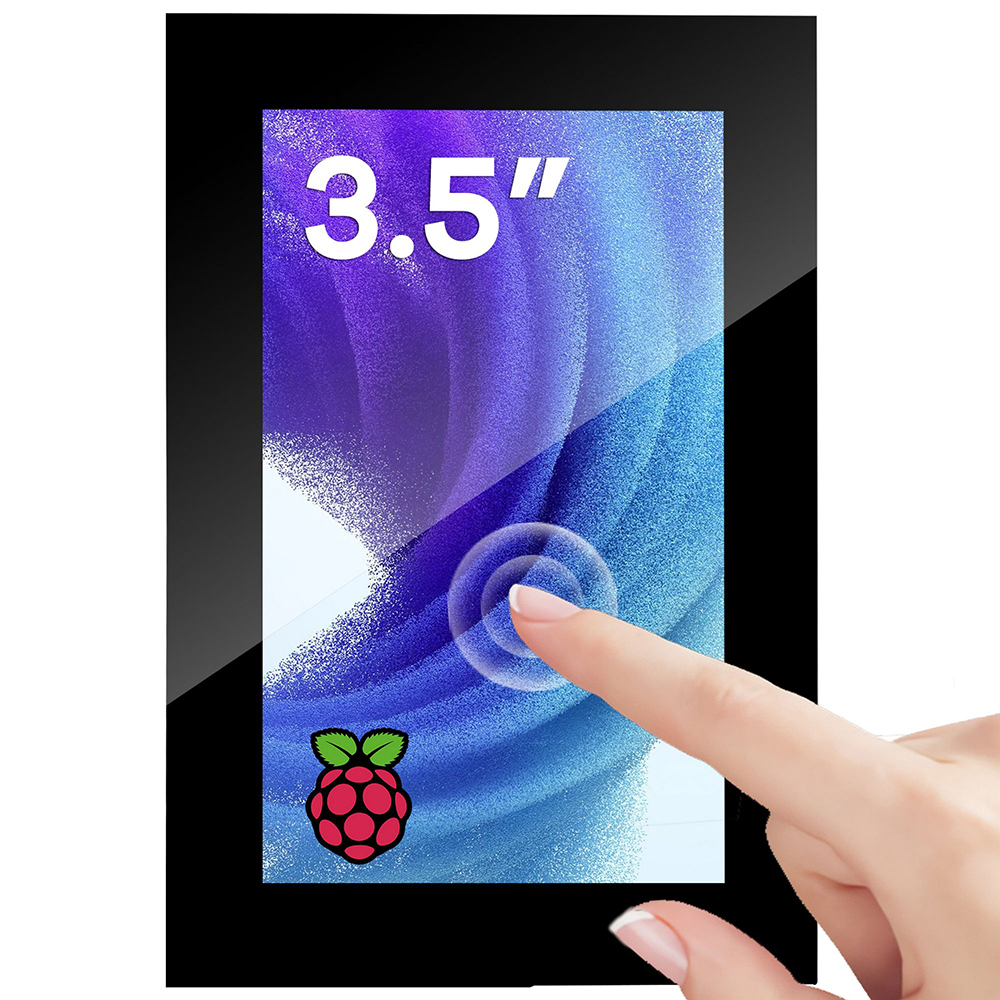
The OSOYOO 3.5-inch DSI touchscreen is designed to plug straight into the Raspberry Pi’s MIPI DSI ribbon connector. It offers a 480×800 portrait IPS display with capacitive touch, suitable for embedded HMI panels, portable Pi-based dashboards, smart-home controllers, maker and education projects. The screen connects with a single DSI ribbon cable — no HDMI and no GPIO header required.
Under the Raspberry Pi desktop, the display supports a brightness slider, display rotation, and touch that rotates together with the display. This product requires driver installation (it is not a driverless plug-and-play display); after installing the driver you get a complete desktop touch experience. For step-by-step usage see Using with Raspberry Pi and Using with ESP32‑P4.
Key Features
- 3.5-inch IPS display, 480×800 resolution, wide viewing angle
- 300 cd/m² brightness, glass panel surface
- Native MIPI DSI connection — no HDMI, no USB data cable required
- Capacitive touch, smooth and responsive (multi-touch support depends on OS and application)
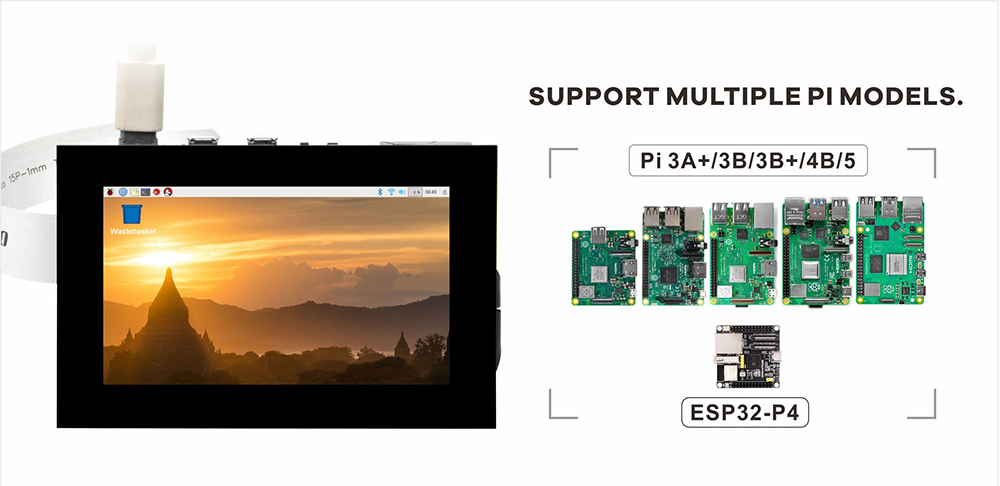
- Compatible with current Raspberry Pi boards with a DSI connector: Pi 5 / 4B / 3B+ / 3B / 2B, and CM4 / CM5 on carrier boards
- Desktop support for brightness slider, display rotation, and touch-follows-rotation
- Powered from the Raspberry Pi DSI connector — no separate power adapter required
- Supports Raspberry Pi OS Bookworm / Trixie
- Can also be used with an ESP32‑P4 development board
- Compatibility: for Raspberry Pi boards with a DSI connector. Pi 4B / 3B+ / 3B / 2B have a single 15-pin DISPLAY port; Pi 5 has two 22-pin DISP0 / DISP1 ports (needs a 22-pin to 15-pin cable; DISP1 by default, add
,dsi0 when using DISP0); Compute Module (CM4 / CM5) depends on the carrier and requires manual config.txt setup; also for some ESP32-P4 IO board
Specifications
| Item |
Value |
| Panel size |
3.5 inch IPS LCD |
| Panel type |
IPS (wide viewing angle) |
| Resolution |
480 × 800 |
| Active area |
~ 45.36 mm × 75.60 mm |
| Brightness |
~ 300 cd/m² (typical) |
| Colors |
16.7M (24-bit RGB) |
| Surface |
Glass panel |
| Display interface |
MIPI DSI |
| Touch type |
Capacitive (single-touch under the official Raspberry Pi OS; multi-touch depends on operating system and application) |
| Backlight control |
Raspberry Pi software brightness (slider / command line) |
| Power input |
Primary: Raspberry Pi DSI connector; backup: onboard 5V / GND header |
| Supported platforms |
Raspberry Pi boards with a DSI connector / ESP32‑P4 |
| Operating temperature |
-20 to 70 ℃ |
About touch: under the official Raspberry Pi OS, this display works as a single-touch screen; whether multi-touch and gestures work depends on the OS version and the specific application — some applications handle single touch only. If your project needs reliable multi-touch, please verify on your target OS and application first.
Package Contents
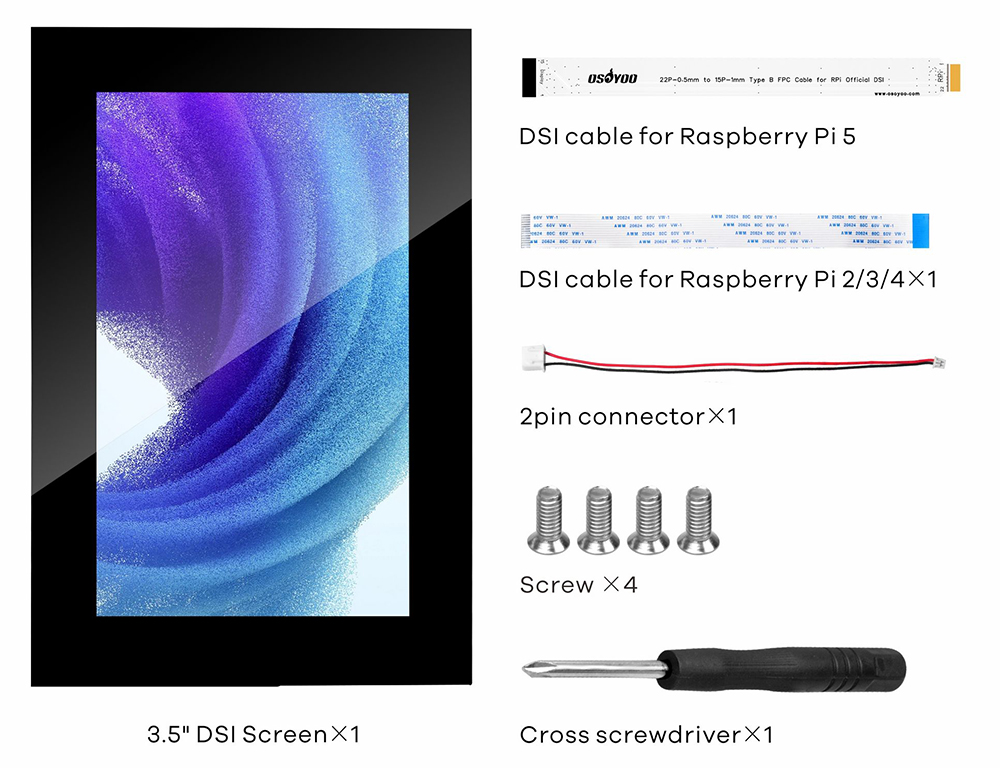
- 1 × OSOYOO 3.5-inch DSI touchscreen (panel and PCB assembled)
- 1 × DSI FPC ribbon cable (15-pin; for Pi 5 / CM5 use a 22-pin to 15-pin cable)
- 1 × 5V power cable (to supplement power when DSI power is insufficient)
- 1 × standoff / screw mounting kit
- 1 × quick-start card
Power Supply
In normal use the display is powered through the DSI ribbon cable by the Raspberry Pi; no extra wiring or power adapter is needed for a standard setup. Please use an adequate genuine power supply for the Raspberry Pi so that display and touch operate reliably.
The PCBA also provides a 5V / GND backup power header, and a power cable is included. In some cases where the DSI connector cannot deliver enough power (e.g. an under-rated adapter, a long power cable, or heavy USB peripheral load on the Pi), use the included cable to supplement power: connect the header’s 5V to the Raspberry Pi 5V pin and GND to the Raspberry Pi GND pin.
Note: insufficient power may cause flicker, unresponsive touch, or a blank screen. The external supply must be 5V; do not reverse the polarity or exceed the voltage, or the board may be damaged.
Mechanical Dimensions
Datasheet download link: http://osoyoo.com/picture/2026005500/2026005500_datasheet.pdf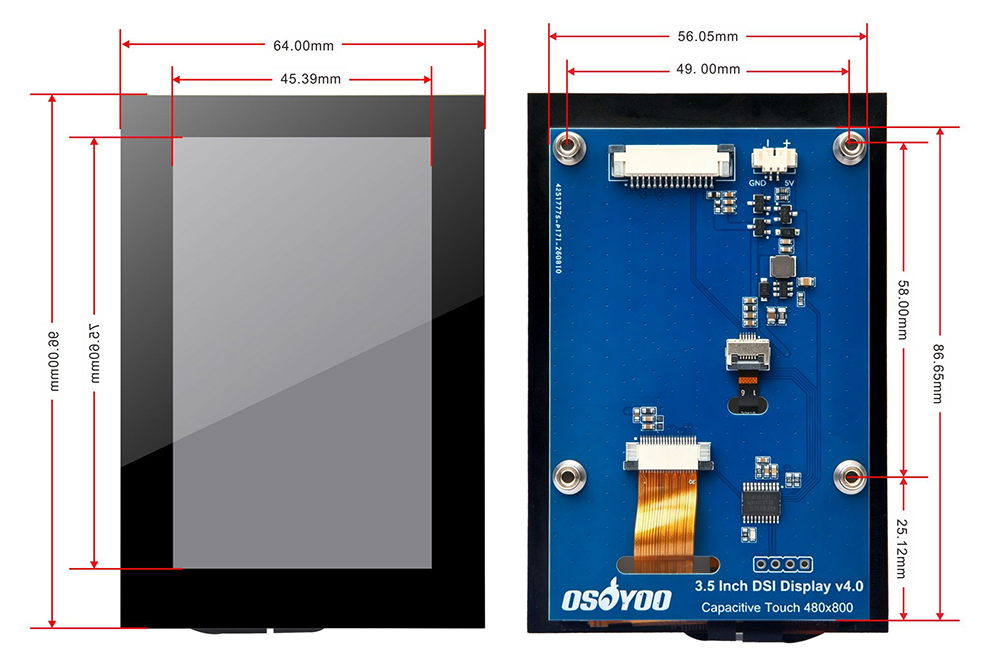
Interface Definition
The interface location is shown below; please connect against the actual product.
- DSI — MIPI DSI FPC connector, connects to the Raspberry Pi DISPLAY / DSI port.
- 5V / GND — backup power header; if DSI power is insufficient, use the included cable to connect its 5V to the Raspberry Pi 5V pin and GND to the Raspberry Pi GND pin.
Safety Notes
- Always power off before connecting / disconnecting the ribbon or jumpers.
- The panel surface and ribbon are fragile — avoid bending, pressing, or dropping.
- Use in a dry, clean environment; avoid liquid ingress and electrostatic discharge.
- Use an adequate, compliant power supply; do not exceed the rated range.
- Do not disassemble the module unless you are a professional.
Support & Contact
For pre-sales questions or after-sales technical support, please contact:
When requesting support, please provide: the Raspberry Pi model, OS version (cat /etc/os-release), the ribbon cable used, and a brief description of the issue. We will reply within one business day.
Related pages: Using Raspberry Pi OS with Raspberry Pi | Using Ubuntu OS with Raspberry Pi | Using with ESP32‑P4
OSOYOO 3.5-inch DSI Touchscreen · Product Manual · Document version v1.1