The following table shows the comparison between the two popular microcontroller boards. It is primarily a comparison between the Osoyoo Uno vs. Mega 2560:
| Features |
Osoyoo Uno |
Osoyoo Mega 2560 |
| Microcontroller (MCU) |
ATmega328P |
ATmega2560 |
| Operating Voltage of the Microcontroller |
5 V |
5 V |
| Typical Supply Voltage for the Board |
7 V – 12 V |
7 V – 12 V |
| Digital I/O Pins |
14 (includes 6 PWM outputs) |
54 (includes 15 PWM outputs) |
| PWM Outputs |
6 |
15 |
| Analog Input Pins |
6 |
16 |
| Max DC Current per I/O Pin |
20 mA |
20 mA |
| Max DC Current for 3.3V Pin |
50 mA |
50 mA |
| Flash Memory of MCU |
32 KB |
256 KB |
| Bootloader Footprint |
0.5 KB |
8 KB |
| SRAM of MCU |
2 KB |
8 KB |
| EEPROM of MCU |
1 KB |
4 KB |
| Clock Speed |
16 MHz |
16 MHz |
| Programming Interface |
USB via ATMega16U2 |
USB via ATMega16U2 |
| Board Dimensions (Length) |
68.6 mm |
101.5 mm |
| Board Dimensions (Width) |
53.4 mm |
53.4 mm |
| Photo |
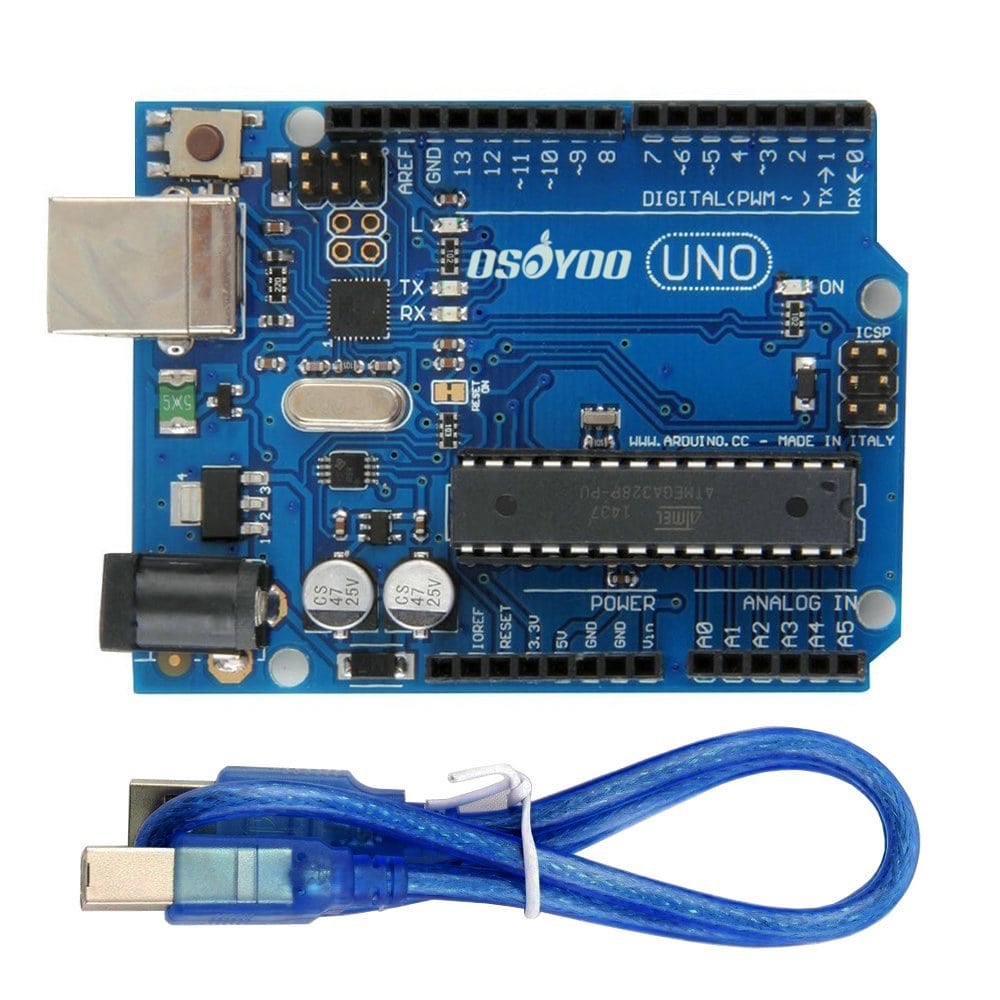 |
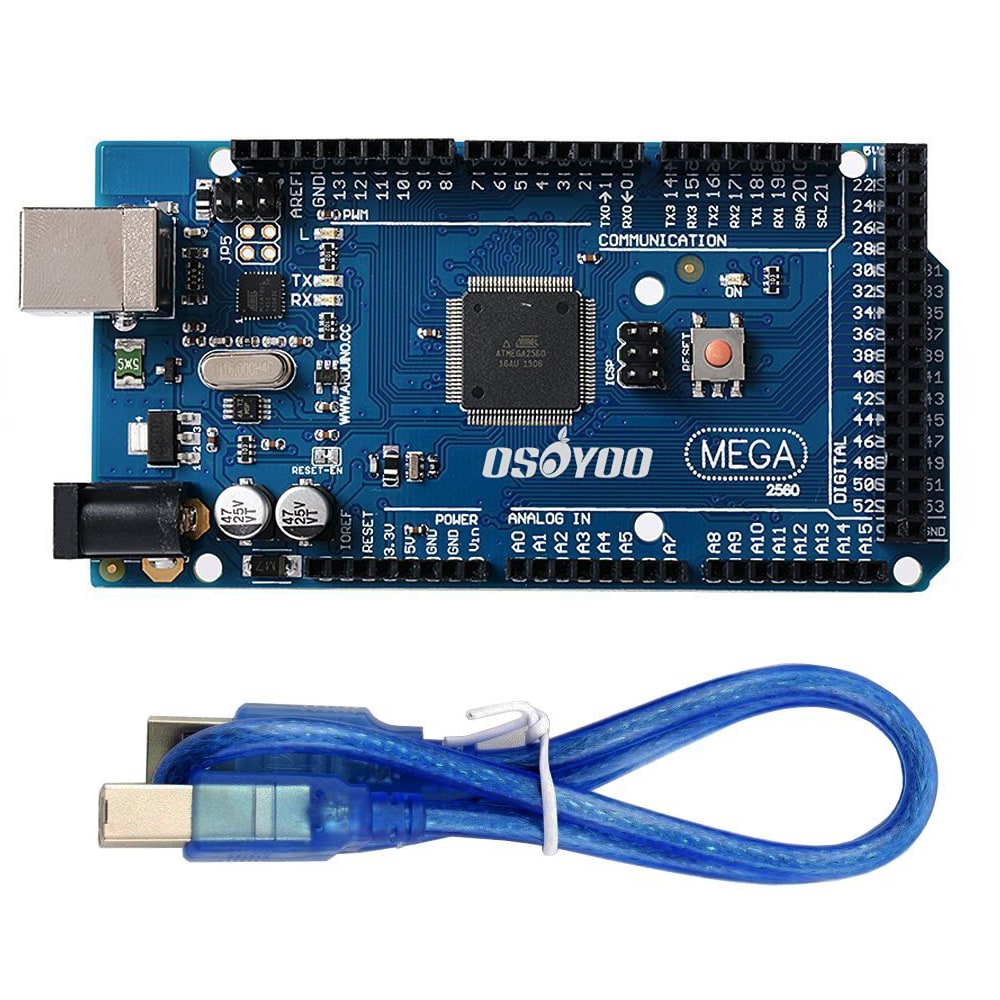 |
Microcontrollers:
Osoyoo Mega 2560
The Osoyoo Mega 2560 uses an ATmega2560 microcontroller, which has:
- 256K Bytes of In-System Self-Programmable Flash.
- 8K Bytes of SRAM.
- 4K Bytes of Internal EEPROM.
Osoyoo Uno
The Osoyoo Uno uses an ATmega328P microcontroller, which has:
- Flash Program Memory: 32 KB.
- EEPROM Data Memory: 1 KB.
- SRAM Data Memory: 2 KB.
Boards:
Osoyoo Mega 2560
The Osoyoo Mega board has:
- 54 digital I/O pins, of which 14 (D0 to D13) can be used as PWM outputs.
- 16 analog input pins, which can also be used as digital I/O pins, in addition to the 54 digital I/O pins.
- 4 serial communication lines (pins D0, D1, and D14 to D19).
Osoyoo Uno
The Osoyoo Uno board has:
- 14 digital I/O pins, of which 6 (D3, D5, D6, D9, D10, and D11) can be used as PWM outputs.
- 6 analog inputs, which can also be used as digital I/O pins, in addition to the 14 digital I/O pins.
- Only one serial communication line (D0, D1).
Final points to keep in mind when choosing between these two boards:
- The Osoyoo Uno is the best choice for beginners who are just starting out with microcontrollers. The Osoyoo Mega, on the other hand, is aimed at enthusiasts who need a large number of I/O pins for their projects.
- Because the Osoyoo Uno is smaller than the Osoyoo Mega, it can be used for more compact projects — although boards like the Micro or Nano are even better suited for that purpose.