
| Buy from US |
Buy from UK |
Buy from DE |
Buy from IT |
Buy from FR |
Buy from ES |
ここでご購入を! |
 |
 |
 |
 |
 |
 |
 |
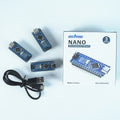
💡 Using a CH340-based Arduino Board?
OSOYOO Nano — The Best Value Arduino Nano Compatible
ATmega328P · CH340 chip · USB-C · 5V/16MHz · Plug & Play after this driver install
🛒 Get 10% off with code CH340NANO10 →
Arduino Nano USB Type-C Not Recognized by Computer — CH340 Driver Fix
Step 1. Connect the board to your computer, then right-click My Computer → Manage.
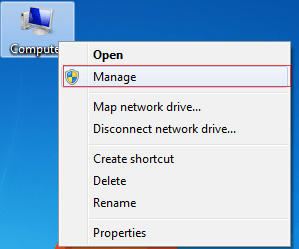
Step 2: Click Device Manager and check whether the Arduino Nano (COM) port has a yellow warning sign. If it does, you need to install the CH340 driver on your computer. Download it here:
For Windows: CH340G.rar driver
For Mac: CH341SER_MAC.ZIP driver
Once the driver is installed successfully, you will see the Arduino Nano (COM) port and the yellow warning sign will disappear.
Step 3. If you still cannot find the Nano board, check whether your board is in good condition.
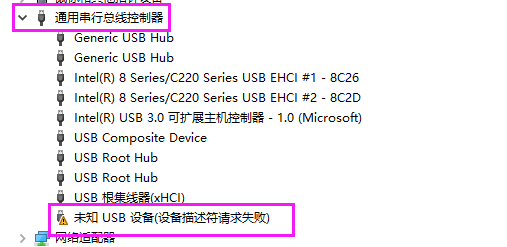
Connect the board to your computer, then right-click My Computer → Manage → Device Manager → Universal Serial Bus controllers (USB). If you see “Unknown USB Device (Device Descriptor Request Failed),” the board may be defective.
✅ Driver installed successfully? You’re ready to go!
If you’re looking for a reliable, affordable CH340-based Arduino Nano board to go with it —
the OSOYOO Nano V3.0 is fully compatible with Arduino Nano V3.0,
comes with a USB-C cable, and works perfectly with this driver.



